


View all your XDR data directly on the Splunk dashboard.
On a single-instance Splunk deployment, install the TrendAI Vision One™ for Splunk (XDR) app on that instance. On a distributed Splunk deployment, install
the app on the following Splunk Enterprise instances:
-
Search heads (or search head cluster members): Required for the configuration interface, dashboards, and search-time field extractions.
-
Heavy forwarders (data collection nodes): Required to run the data inputs that collect XDR data from TrendAI Vision One™ through the API. The app collects data using modular inputs, which run only on a full Splunk Enterprise instance. Universal forwarders do not support these data inputs.
-
Indexers: Not required. The data inputs extract the fields from the JSON data on the heavy forwarder during collection, so events arrive at the indexers already parsed.
Note that the following instructions are based on the Splunk Server Enterprise 9.0.0,
9.1.0, and 9.2.0 releases. The Splunk settings might be different if you are using
a different version of Splunk. Refer to the Splunk documentation for specific information
related to your version. If you are installing the Splunk app as an upgrade, the app
automatically applies any valid settings from the old version and disables the Data
inputs settings in Splunk.
Procedure
- In the TrendAI Vision One™ console, obtain the Endpoint URL and the Authentication token:
- Go to .
- Locate and click the Splunk XDR card.
- Use the copy icons (
 ) to obtain the following information:
-
Endpoint URL
-
Authentication token
-
- Optionally, if the authentication token is expired or does not exist, click Generate and enter the required information in the API Key Settings window to add a new token.
- Search for and install the TrendAI Vision One™ for Splunk (XDR) app from Splunkbase.
- Once the app is installed, go to on the Spunk console.
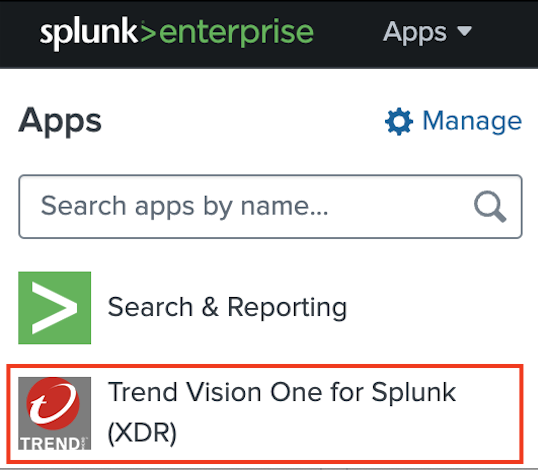
- Configure the account settings:
- Go to .
- Use the edit icon (
 ) next to each account to modify its settings.
 - Paste the Endpoint URL and Authentication token obtained from the TrendAI Vision One™ console. If you have multiple authentication tokens, separate them with semicolons.
- Click Update.
- Optionally, go to and enter the following information as necessary:
-
HTTPS Proxy Address
-
Retry Interval
-
- Click Save.
- Optionally, add a new account:
- Click Add.
- Enter the Account name and paste the Endpoint URL and Authentication token from the TrendAI Vision One™ console.
- Click Add.
- Configure the data inputs used by Splunk:
- Go to Inputs in the menu bar.
- Under Status, use the toggle to enable or disable each data input.
- Use the edit icon ( ) to configure settings for the data input.
- Enter the following information for the data input:
-
Name
-
Interval
-
Index
-
Global account
-
- Click Update.
- Optionally, add a new data input:
- Click Create New Input.
- Select a data input from the following:
-
TrendAI Vision One™ Workbench Alerts
-
TrendAI Vision One™ Observed Attack Techniques
-
TrendAI Vision One™ Audit Logs
-
TrendAI Vision One™ Detection
-
- Enter the Name, Interval, and Index, and select the Global account for the data input.The Observed Attack Techniques data input type additionally requires you to select a Risk level, and synchronizes all events with a risk level equal to or higher than the level specified. Selecting undefined, info, or low might cause a high volume of data transfer.
- Click Add.
After successfully installing the Splunk app, Splunk begins collecting XDR data from TrendAI Vision One™. Splunk can only collect XDR data generated after connecting to TrendAI Vision One™. You might need to allow some time before new XDR data starts to appear.The Detection screen in the Splunk console provides only a limited set of detection data fields from XDR data. To access more detailed detection information, go to the Search screen and run a query using supported Splunk syntax, such assource="trendmicro_v1_detection"|table _time,_raw. This allows you to view the full detections data available from TrendAI Vision One™.