


Configure assertion encryption to secure data transferred between Okta and TrendAI Vision One™.
Configuring SAML assertion encryption allow you to further secure the connection
between Okta and TrendAI Vision One™
by specifying the data encryption algorithm and the key transport algorithm.
 |
NoteThe following instructions are valid as of March 2024.
|
 |
ImportantTo complete the following configuration, ensure that you already have OpenSSL installed on your computer.
|
Procedure
- Download the CSR (certificate signing request) file.
- On the TrendAI Vision One™ console, go to .
- In step 3, click Download CSR file.
The CSR file downloads to your computer. The file name is saml_encryption.csr. - Open the CSR file using your computer's command line interface.
- Generate the private key file.
- Enter the following command:
openssl genpkey -algorithm RSA -out ca_private_key.pem -pkeyopt rsa_keygen_bits:2048
The private key file is generated in the same file location as the CSR file. The file name is ca_private_key.pem. - Enter the following command:
- Generate the certificate file.
- Enter the following command:
openssl req -x509 -new -nodes -key ca_private_key.pem -sha256 -days 1024 -out ca_certificate.pem

Tip
Change the -days value to adjust the certificate validity duration. - Provide the following information when prompted.
-
Country Name (2 Letter code) [AU]: US
-
State or Province Name (full name) [Some-State]: (leave blank)
-
Locality Name (eg, city) [ ]: (leave blank)
-
Organization Name (eg, company) [Internet Widggits Pty Ltd]: TrendAI™
-
Organizational Unit Name (eg, section) [ ]: (leave blank)
-
Common Name (e.g. server FODN or YOUR name) [ ]: (leave blank)
-
Email Address [ ]: (leave blank)
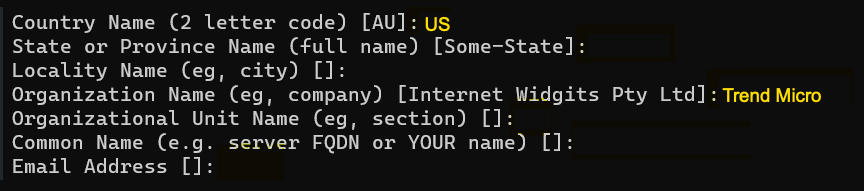 The certificate file is generated in the same file location as the CSR file. The file name is ca_certificate.pem.
 -
- Enter the following command:
- Generate the encryption certificate file.
- Enter the following command:
openssl x509 -req -in saml_encryption.csr -CA ca_certificate.pem -CAkey ca_private_key.pem -CAcreateserial -out certificate.crt -days 1024 -sha256
Tip
Change the -days value to adjust the certificate validity duration.
The encryption certificate file is generated in the same file location as the CSR file. The file name is certificate.crt. - Enter the following command:
- Configure assertion encryption in Okta.
- Log in to your Okta organization as a user with administrative privileges.
- Go to and in the ACTIVE section, select
sso-beta.
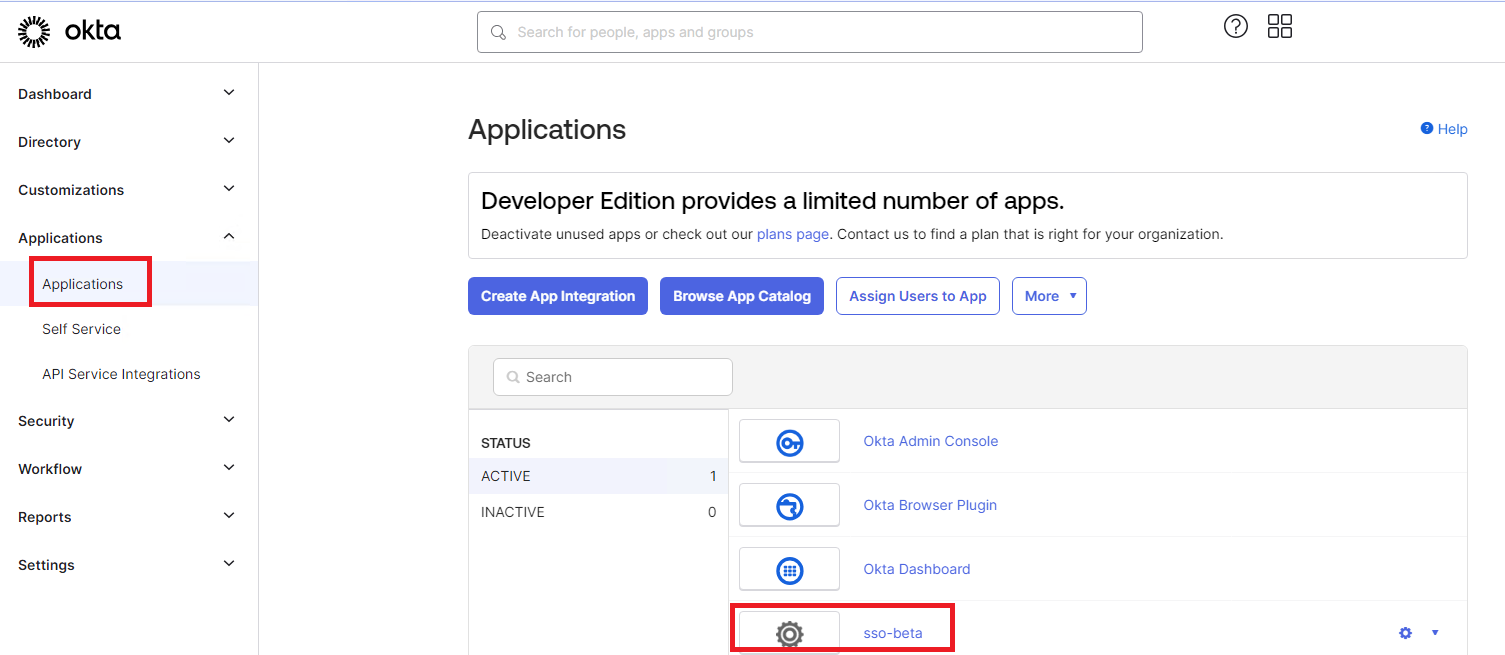
- In the SAML Settings section of the sso-beta screen, click Edit.
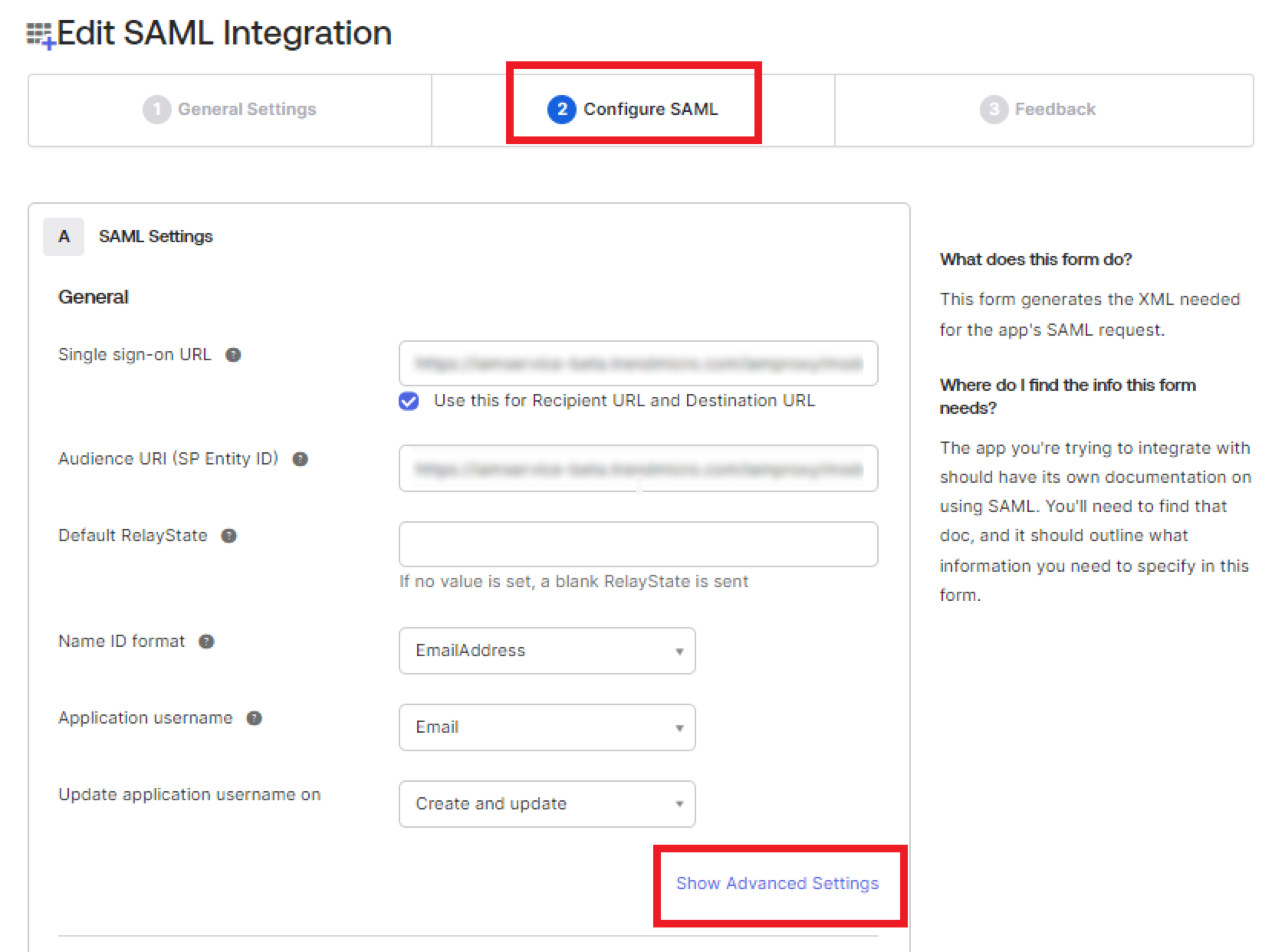
- On the General tab of the Configure
SAML screen, click Show Advanced
Settings.
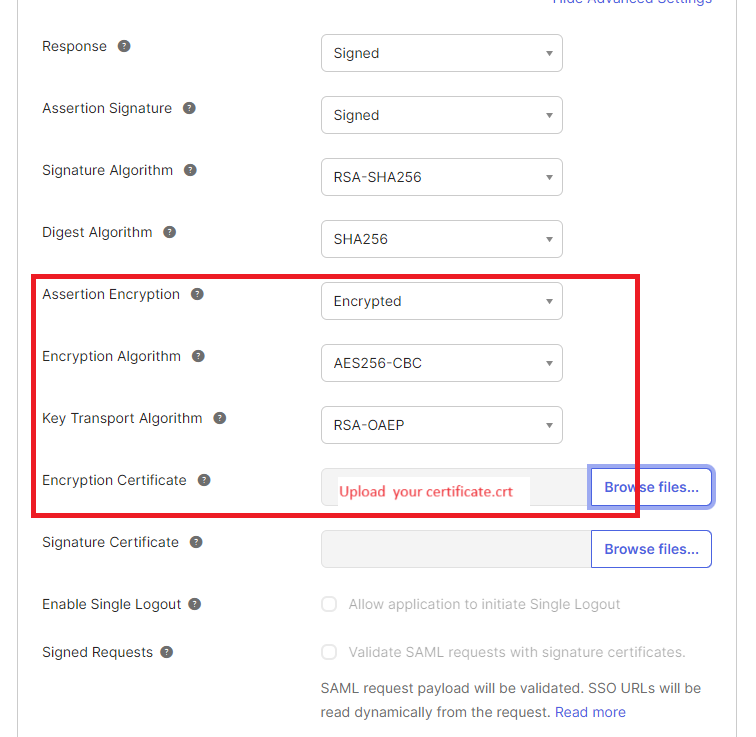
- Next to Assertion Encryption, select Encrypted.
- Next to Encryption Algorithm, select AES256-CBC.
- Next to Key Transport Algorithm, select RSA-OAEP.
- Next to Encryption Certificate, click
Browse files... and select the
certificate.crt file you previously
generated.
- Click Next.
- Click Finish.