


Allow Endpoint Security Policies to manage the Standard Endpoint Protection and Server & Workload Protection features of your TrendAI Vision One™ Endpoint Security agents.
 |
Important
|
Enrolling your endpoint groups allows Endpoint Security Policies to centrally manage
your Protection Manager settings for the assigned groups. Use the following steps
to enable central management of security features with Endpoint Security Policies.
Procedure
- In the TrendAI Vision One™ console, go to .
- Create or edit an assignment.
-
To create a new assignment, click Add assignment. For more information on creating assignments, see Assign policies.
-
To edit an assignment, click the name of the assignment you want to edit.
-
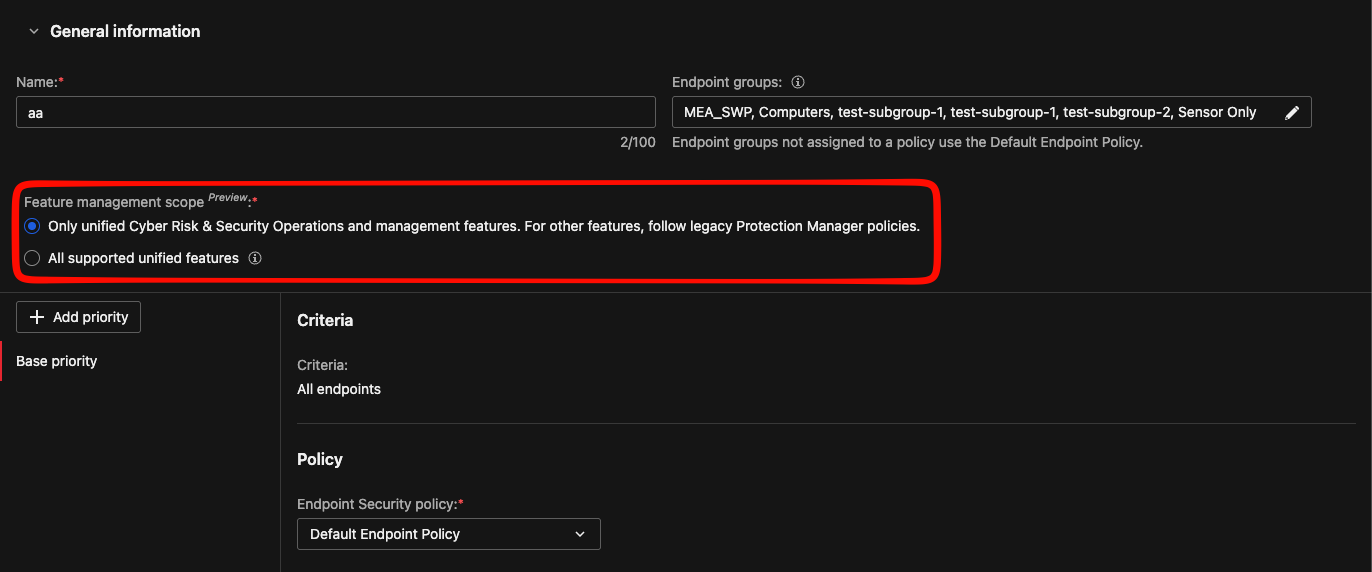
- Configure the Feature management scope.
-
To centralize management of security features with Endpoint Security Policies, select All supported unified features.
-
To limit Endpoint Security Policies to manage only Endpoint Sensor features, select Only unified Cyber Risk & Security Operations and management features. If you select this option, you can manage security protection features in the Protection Manager policies.
-