The TrendAI Vision One™™ Code Security app for GitHub includes Template Scanner capabilities that scan your
infrastructure-as-code (IaC) templates and evaluate them against best security practices.
After installing the app, you can select repositories to automatically scan all pull
requests you open or update.
 |
NoteGithub Enterprise organizations are not currently supported.
|
How to install the Code Security GitHub app 
Follow the steps in GitHub integration to install the TrendAI Vision One™ Code Security app for GitHub. When selecting the deployment scope, choose Code Security.
How to configure what gets scanned
By default, Template Scanner scans CloudFormation templates at the root of the repository
(for example, cloudformation.yml, cloudformation.json, template.yml) and Terraform
".tf" files at any level in the repository.
To configure and override what gets scanned:
Procedure
- Create a directory called
.template-securityin the root of the repository. - Add a config.json file in
.template-security/with your configurations. Example:{ "frameworks": { "terraform": { "templateFilesPattern": "**/*(*.tf|*.tfvars)" }, "cloudformation": { "templateFilesPattern": "**/*(*.yml)" } } }
Available configuration
frameworks: (object) contains the frameworks you would like to scan as keys. Supported values "terraform" | "cloudformation"templateFilesPattern: (string) use a file pattern to match files and directories.
Special characters for matching a path portion:
*Matches 0 or more characters in a single path portion?Matches 1 character[...]Matches a range of characters, similar to a RegExp range If the first character of the range is!or^then it matches any character not in the range.!(pattern|pattern|pattern)Matches anything that does not match any of the pattern.?(pattern|pattern|pattern)Matches zero or one occurrence of the pattern.+(pattern|pattern|pattern)Matches one or more occurrences of the pattern.*(a|b|c)Matches zero or more occurrences of the pattern@(pattern|pat*|pat?erN)Matches exactly one of the pattern**If a "globstar" is alone in a path portion, then it matches zero or more directories and subdirectories. Note that this does not crawl symlinked directories.
Note on the use of dots (.)
If a file or directory path portion has a
. as the first character, then
it will not match any glob pattern unless that pattern's corresponding path part also
has
a . as its first character.For example, the pattern
a/.*/c would match the file at
a/.b/c. However the pattern a/*/c would not, because
* does not start with a dot character.Examples
-  `*(*.tf)` Match only files ending with `.tf`
-  `**/*(*.tf|*.tfvars)` Starting from the top directory, match files ending with `.tf` or `.tfvars`
-  `*(*.tf|*.tfvars)` Match files ending with `.tf` or `.tfvars` in the root directory only
How to trigger a scan
To trigger a scan:
Procedure
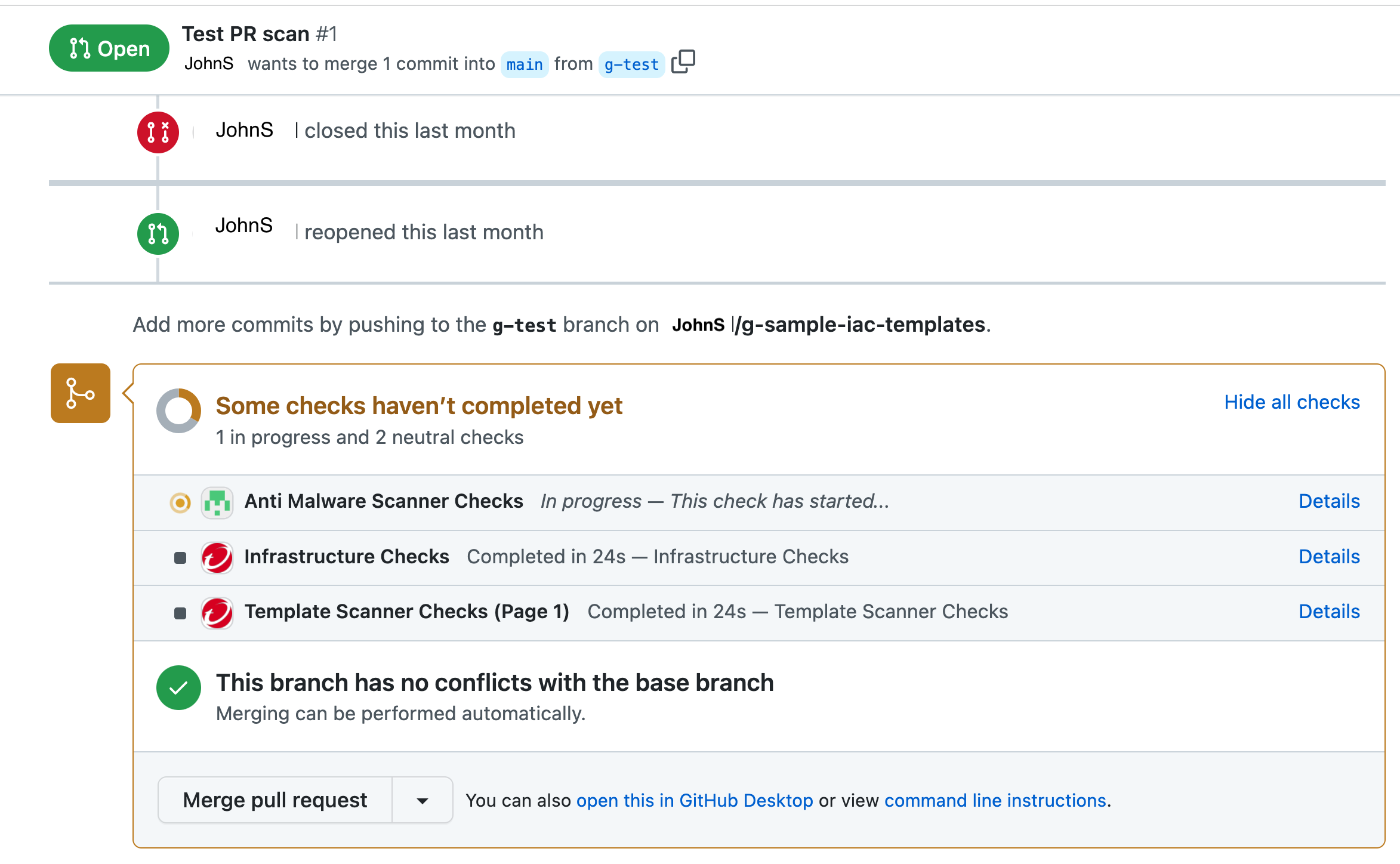
- Create a pull request in GitHub for a repository where you installed the Code Security GitHub app. The status of the Template Scanner scan appears at the bottom of your pull request in GitHub.
- Click on Details to view the findings generated by the scan.