TrendAI Vision One™™ Code Security 應用程式適用於 GitHub,包含 Template Scanner 功能,可掃瞄您的基礎架構即程式碼 (IaC) 範本,並根據最佳安全實踐進行評估。安裝應用程式後,您可以選擇要自動掃瞄您開啟或更新的所有拉取請求的儲存庫。
 |
注意目前不支援 GitHub Enterprise 組織。
|
如何安裝 Code Security GitHub 應用程式 
按照 GitHub 整合中的步驟,安裝 TrendAI Vision One™ Code Security 應用程式至 GitHub。選擇部署範圍時,請選擇 「Code Security」。
如何設定掃描內容
預設情況下,Template Scanner 會掃描儲存庫根目錄中的 CloudFormation 範本(例如,cloudformation.yml、cloudformation.json、template.yml)以及儲存庫中任何層級的
Terraform ".tf" 檔案。
若要設定和覆蓋掃描內容:
步驟
- 在存儲庫的根目錄中建立一個名為
.template-security的目錄。 - 在
.template-security/中新增一個config.json檔案,並加入您的配置。範例:{ "frameworks": { "terraform": { "templateFilesPattern": "**/*(*.tf|*.tfvars)" }, "cloudformation": { "templateFilesPattern": "**/*(*.yml)" } } }
可用配置
frameworks:(物件)包含您想要掃瞄的框架作為鍵。支援的值為 "terraform" | "cloudformation"templateFilesPattern:(字串)使用檔案模式來匹配檔案和目錄。
用於匹配路徑部分的特殊字符:
*匹配單一路徑部分中的 0 個或多個字元?匹配 1 個字元[...]匹配一個字元範圍,類似於正則表達式的範圍。如果範圍的第一個字元是!或^,則匹配不在該範圍內的任何字元。!(pattern|pattern|pattern)匹配任何不符合任何模式的項目。?(pattern|pattern|pattern)匹配模式出現零次或一次。+(pattern|pattern|pattern)匹配一個或多個模式的出現。*(a|b|c)匹配零次或多次模式的出現@(pattern|pat*|pat?erN)精確匹配其中一個模式**如果globstar單獨出現在路徑部分,則它匹配零個或多個目錄和子目錄。請注意,這不會遍歷符號連結的目錄。
關於使用句點 (.) 的注意事項
如果檔案或目錄路徑的部分以
. 作為第一個字元,則除非該模式的相應路徑部分也以 . 作為第一個字元,否則它將不會匹配任何全域模式。例如,模式
a/.*/c 會匹配位於 a/.b/c 的檔案。然而,模式 a/*/c 則不會,因為 * 並非以點字元開頭。範例
-  `*(*.tf)` Match only files ending with `.tf`
-  `**/*(*.tf|*.tfvars)` Starting from the top directory, match files ending with `.tf` or `.tfvars`
-  `*(*.tf|*.tfvars)` Match files ending with `.tf` or `.tfvars` in the root directory only
如何觸發掃瞄
要觸發掃瞄:
步驟
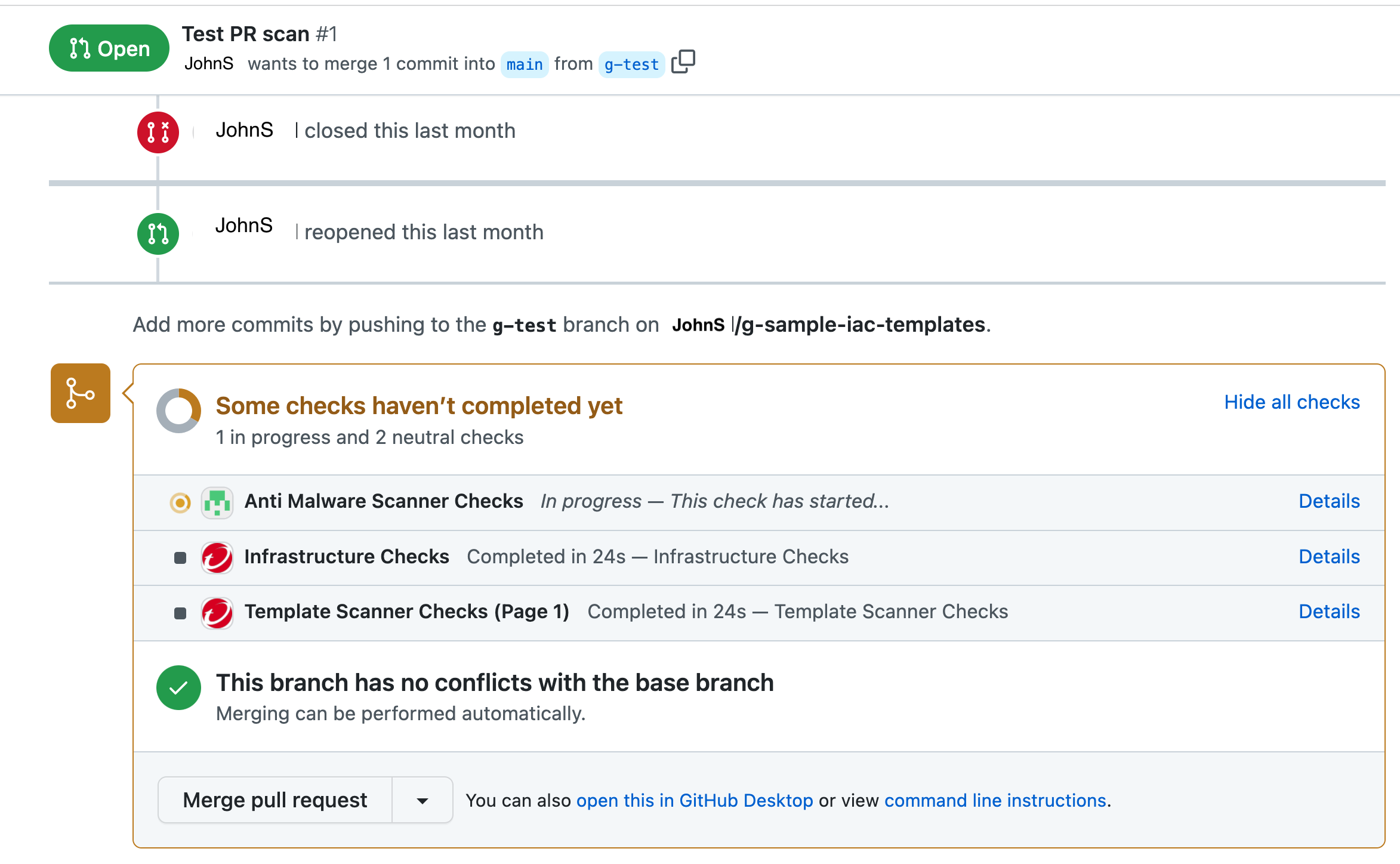
- 在您安裝了 Code Security GitHub 應用程式的存放庫中建立一個拉取請求。Template Scanner 掃瞄的狀態會顯示在 GitHub 中您的拉取請求底部。
- 點擊「詳細資訊」以查看掃瞄生成的結果。