


The Sandbox Preparation Unsuccessful screen appears when the
tool is unable to fix issues during preparation.
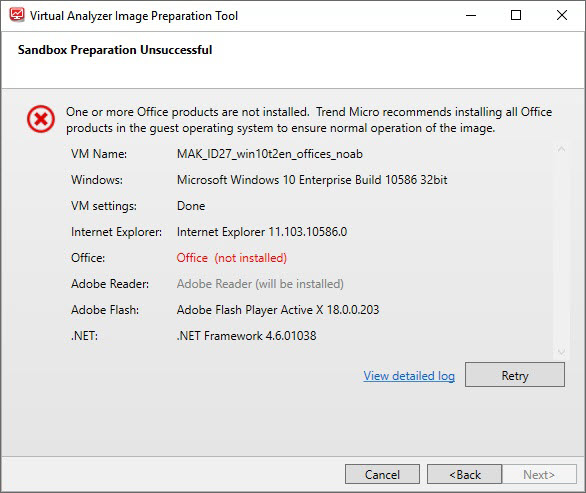
The most common reason for Windows preparation to fail is missing software. To fix
the issue, perform the following steps:
Procedure
- Open VirtualBox and run the virtual machine.
- Install the missing software.
- Go back to the tool and click View detailed log.
- Perform any recommended actions in the log.
- Click Retry.If any issues persist or continue to be unresolved, see Troubleshooting Common Issues.

Note
SandboxWizard.exesaves logs in the\logfolder where you run the tool. Logs use the following naming convention:d:\SandboxWizard\log\VATool-yyyymmddhhmmss.txtFor example:d:\SandboxWizard\log\VATool-20170925025520.txt