


允許 Endpoint Security Policies 管理您 TrendAI Vision One™ 端點安全代理 的 Standard Endpoint Protection 和 Server & Workload Protection 功能。
 |
重要
|
將您的端點群組註冊後,Endpoint Security Policies 可以中央管理分配群組的保護管理器設定。請使用以下步驟啟用 Endpoint Security
Policies 的安全功能中央管理。
步驟
- 在 TrendAI Vision One™ 主控台上,移至。
- 建立或編輯作業。
-
要建立新作業,請點擊「Add assignment」。如需有關建立作業的詳細資訊,請參閱指派政策。
-
若要編輯作業,請點擊您想要編輯的作業名稱。
-
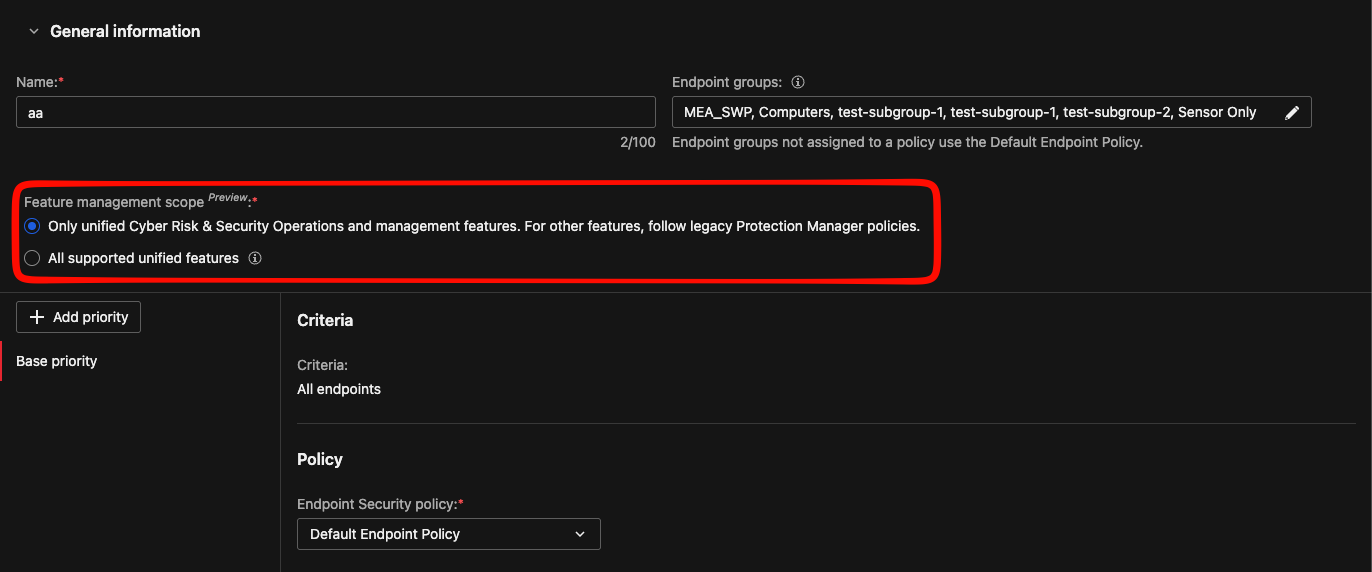
- 設定「Feature management scope」。
-
若要透過 Endpoint Security Policies 集中管理安全功能,請選擇「All supported unified features」。
-
若要限制 Endpoint Security Policies 僅管理 Endpoint Sensor 功能,請選擇「Only unified Cyber Risk & Security Operations and management features.」。如果您選擇此選項,您可以在 Protection Manager 政策中管理安全保護功能。
-