

Container Security supports protection on connected Amazon ECS Fargate containers.
 |
ImportantBefore proceeding, you must connect your Amazon ECS cluster that hosts the Fargate
container:
|
The ECS Task Definition Patcher is a Lambda-based service that automatically patches
Amazon ECS Fargate task definitions to include Container Security containers (Falco,
Scout, and Pdig) after version
2.0.0. When deploying Container Security, you should be aware of the following:-
The container must have internet access.
-
Container Security uses
ptraceto inspect containers. If you are also usingptrace, the monitoring may not function correctly. -
Container Security enables
pidModein the task definition. EnablingpidModeresults in only one ECS Exec session per task. For more information, see Using Amazon ECS Exec for debugging. -
Container Security on Fargate requires a minimum of 1 vCPU (1024 CPU units) and 512MiB memory. Follow the AWS task size table to determine the appropriate task size for running Container Security and workloads on Fargate.
 |
NoteFargate services that are manually patched will not be automatically patched. Use
the original task definition without the Container Security image to ensure that the
Fargate service can be automatically patched.
|
Procedure
- In the Trend Vision One console, go to .
- In the tree, click Amazon ECS, then locate and click the Fargate cluster in the list.
- Turn on Runtime Security.
- In another browser tab, sign in to the AWS account that hosts the cluster.
Important
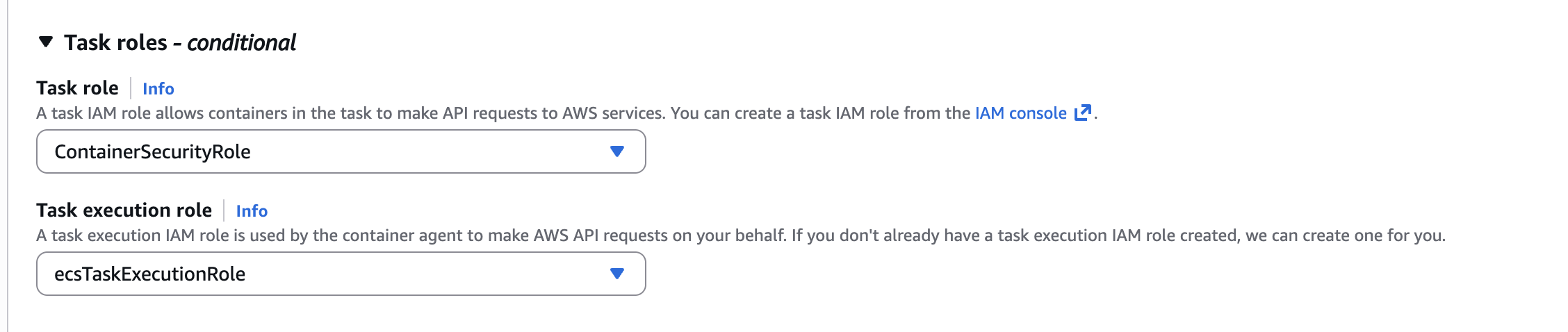
The following AWS instructions and screen captures were valid as of November 19, 2025. For further help, check your AWS documentation. - Add the additional permissions described below to the Task role of the Fargate service
you would like to protect:
{ "Version": "2012-10-17", "Statement": [ { "Effect": "Allow", "Action": "ssm:GetParameter", "Resource": "arn:aws:ssm:${Region}:${Account}:parameter/V1CS/*" }, { "Effect": "Allow", "Action": "secretsmanager:GetSecretValue", "Resource": "arn:aws:secretsmanager:${Region}:${Account}:secret:/V1CS/${CLUSTER_NAME}/AuthToken-*" }, { "Effect": "Allow", "Action": "ecs:TagResource", "Resource": "arn:aws:ecs:${Region}:${Account}:task/*" } ] }Where:-
$(Region)- The region where the Fargate container is hosted (for example, us-east-1). -
$Account)- The AWS account that manages the Fargate container. -
${CLUSTER_NAME}- The cluster where this Fargate service deploys. You can replace this field with*to apply this IAM role to any cluster.
-
- The
trendmicro-container-security-ecs-taskdef-patcherlambda updates the task definition and re-deploys the ECS service with the new task definition.Note
Only the AWS ECS service is supported; ECS task is not supported.