


The Sandbox Preparation Unsuccessful screen appears when the tool is unable to fix issues during preparation.
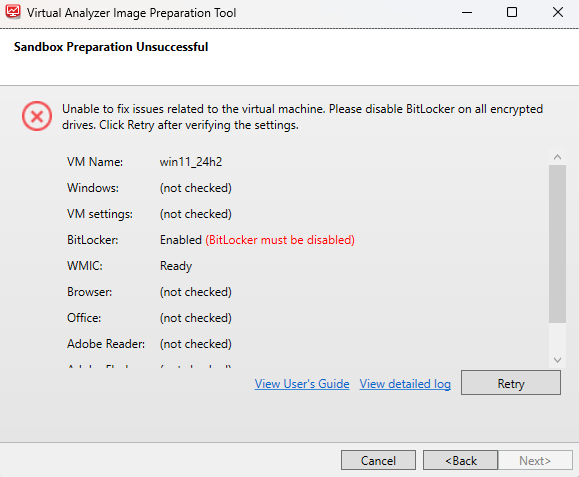
This can occur if BitLocker is enabled on your drives. To fix the issue, perform the
following steps:
 |
ImportantDecryption and disabling of BitLocker is a resource intensive process which might
take some time to complete depending on the size of the target drive.
|
Procedure
- Open VirtualBox and run the virtual machine.
- Disable BitLocker on all drives.For details on how to disable BitLocker, please refer to the Microsoft documentation for manage-bde.
- Go back to the tool and click View detailed log.
- Perform any recommended actions in the log.
- Click Retry.If any issues persist or continue to be unresolved, see Troubleshooting Common Issues.

Note
SandboxWizard.exesaves logs in the\logfolder where you run the tool. Logs use the following naming convention:d:\SandboxWizard\log\VATool-yyyymmddhhmmss.txtFor example:d:\SandboxWizard\log\VATool-20170925025520.txt