


Batch upgrade allows upgrading of two or more parent and child devices. This option
reserves log
information during the upgrade process and does not cause any downtime.
 |
TipTrend Micro recommends performing batch upgrade when email traffic is at a minimum.
Evaluate if
the IMSVA devices to be upgraded after the first batch can
accommodate the total email traffic during the upgrade process.
Batch upgrade is best
performed between 4:00 and 22:00. The daemon service on the child
devices may be restarted outside the recommended time period, preventing
these devices from connecting to the parent device.
|
The following is an overview of the batch upgrade process:
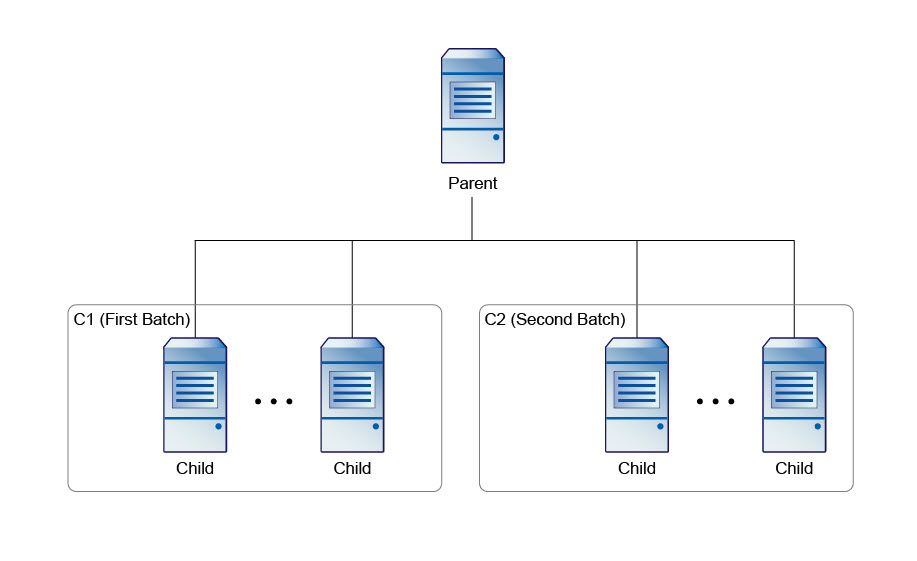
-
Select the first batch of child devices to upgrade.
-
Block connections between parent and child devices (with IP table or firewall), except devices selected in Step 1.

Note
At this stage, child devices should not be able to connect to the parent device. However, the parent device can connect to the child devices to conduct a pre-upgrade check. -
Perform offline upgrade for the parent and child devices selected in Step 1.
-
Deploy the upgraded devices to production.
-
Perform offline upgrade for the rest of the child devices.
-
Restore the connection between the upgraded parent and child devices.
-
Deploy the upgraded devices to production.
-
Repeat the steps until all parent and child devices are upgraded.
|
NoteDuring the batch upgrade process, it is important to block
the connection between parent and child devices.
Configure
the firewall of the parent and child devices to block the second
batch of child device upgrades. The child devices cannot be restarted
unless the connection is blocked.
|