


Procedure
- Click Next.The TMCM Server Settings screen appears.
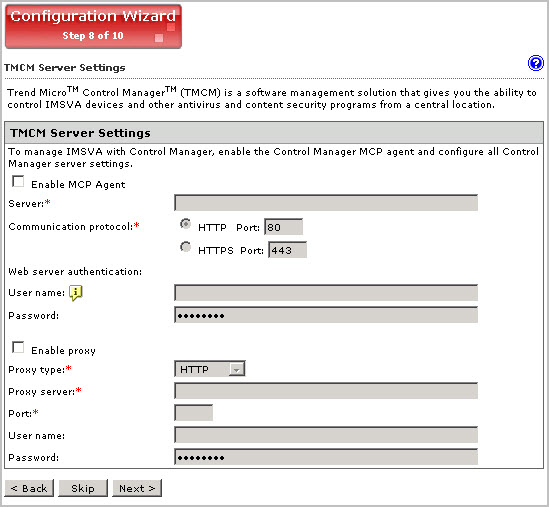
TMCM Server Settings - If you will use Control Manager to
manage IMSVA,
do the following:
- Select Enable MCP Agent (included with IMSVA by default).
- Next to Server, type the Control Manager IP address or FQDN.
- Next to Communication protocol, select HTTP or HTTPS and type the corresponding port number. The default port number for HTTP access is 80, and the default port number for HTTPS is 443.
- Under Web server authentication, type the user name and password for the web server if it requires authentication.
- If a proxy server is between IMSVA and Control Manager, select Enable proxy.
- Type the proxy server port number, user name, and password.