


Procedure
- After you read the welcome screen, click Next.
The Local System Settings screen appears.
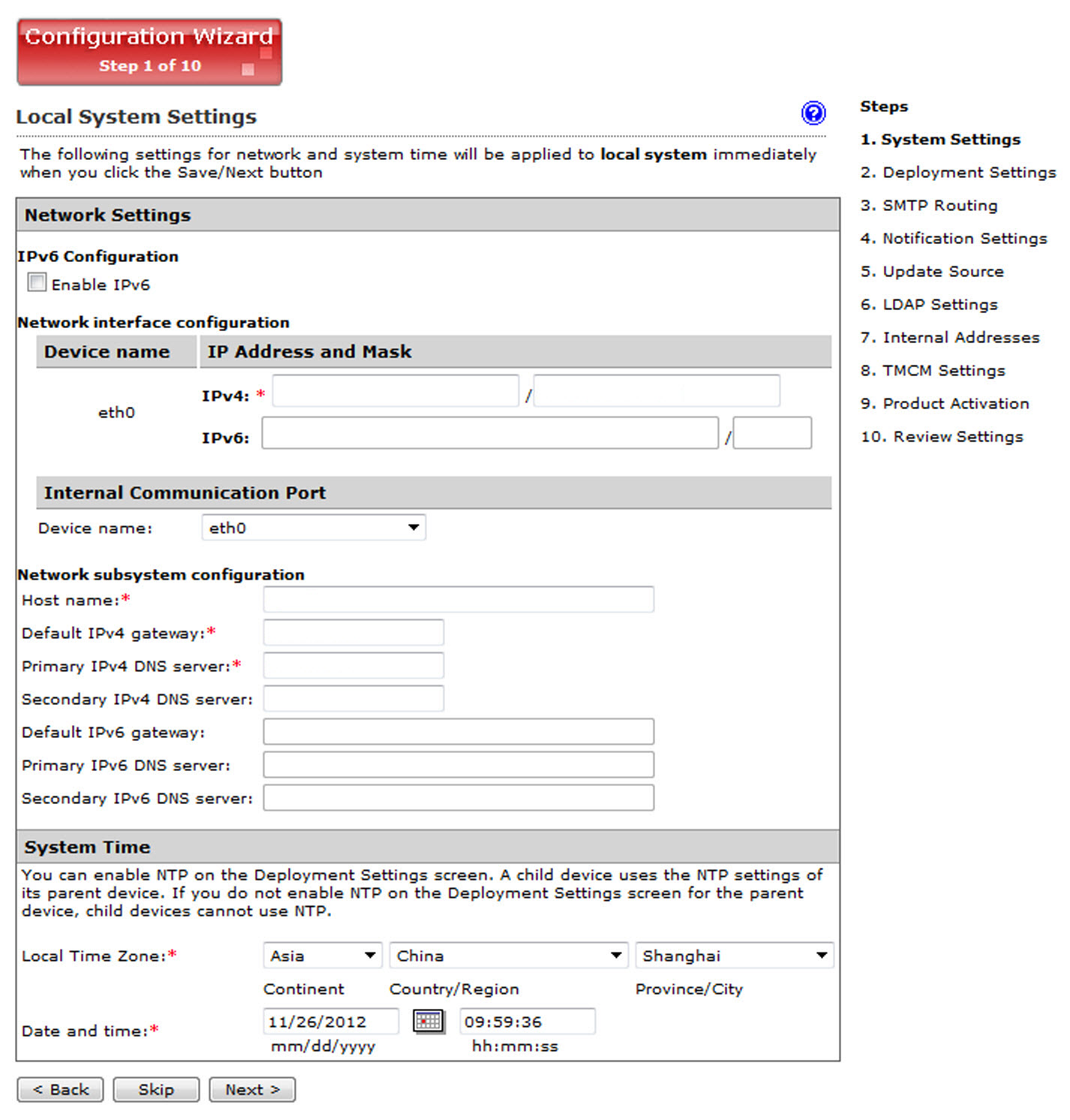
Local System Settings - Modify the device host name, IP address, and netmask
if necessary. Also, configure your network settings and set the
device system time.

Note
The local system settings take effect immediately when you click the Next> button. If the IP address or time settings are changed, IMSVA will restart. Wait until IMSVA is online and then log on again.