

The following table lists the tab-related tasks:
|
Task
|
Steps
|
|
Add a tab
|
Click the plus icon (
 ) on the
top right of the dashboard. The New Tab window
displays. ) on the
top right of the dashboard. The New Tab window
displays.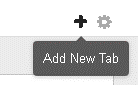 |
|
Edit a tab's settings
|
Click the settings icon (
 ) on the
top right of the dashboard. A window opens, where you can choose whether to edit tab
settings or add widgets. ) on the
top right of the dashboard. A window opens, where you can choose whether to edit tab
settings or add widgets.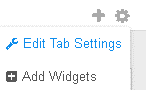 |
|
Delete a tab
|
Click the Delete icon (
 ) next to the tab title. ) next to the tab title. Deleting a tab deletes all the widgets in the tab. This does not delete the widgets
from
the widget list in the Add Widgets screen.
|