

Procedure
- Go to .
- Select Trend Micro TippingPoint Security Management System (SMS).
- Under Server Information, select a registration method.
- API key (recommended)
- Username / password
- Specify all the required information.

Important
-
The server address must be the IPv4 address or FQDN of the inline product.
-
User names and passwords can have up to 15 characters.

Tip
You can find your API key on the TippingPoint SMS console.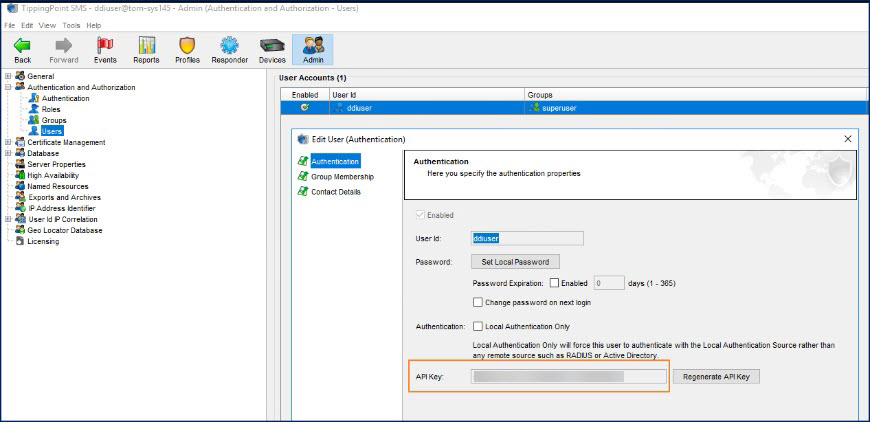
-
- (Optional) Click Test Connection.
- Under Object Distribution, click Enabled.
- (Optional) Specify a new object distribution frequency.
- Under Criteria, specify the type and risk level of the objects that Deep Discovery Inspector sends to Trend Micro TippingPoint Security Management System.Object TypeRisk LevelC&C Callback Address and Suspicious Object
-
IPv4 address
-
Domain
-
URL
Important
Only supported by Trend Micro TippingPoint Security Management System 5.0 or higher.
-
High only
-
High and medium
-
High, medium, and low
-
- Click Save.The following tag categories are displayed in the TippingPoint SMS Reputation Database.Tag CategoryValueTrend Micro SourceThe host name of Deep Discovery InspectorTrend Micro SeverityPossible values:
-
High
-
Medium
-
Low
Trend Micro PublisherThe product name of Deep Discovery InspectorTrend Micro Detection CategoryThe detection type of the threat. -
- (Optional) View distributed suspicious objects and C&C callback addresses in TippingPoint
SMS.
- Verify that the following tag categories exist in the Tag Categories list of the TippingPoint SMS Client.
-
Trend Micro Severity
-
Trend Micro Source
-
Trend Micro Publisher
-
Trend Micro Detection Category
-
- On the Profile tab, go to .
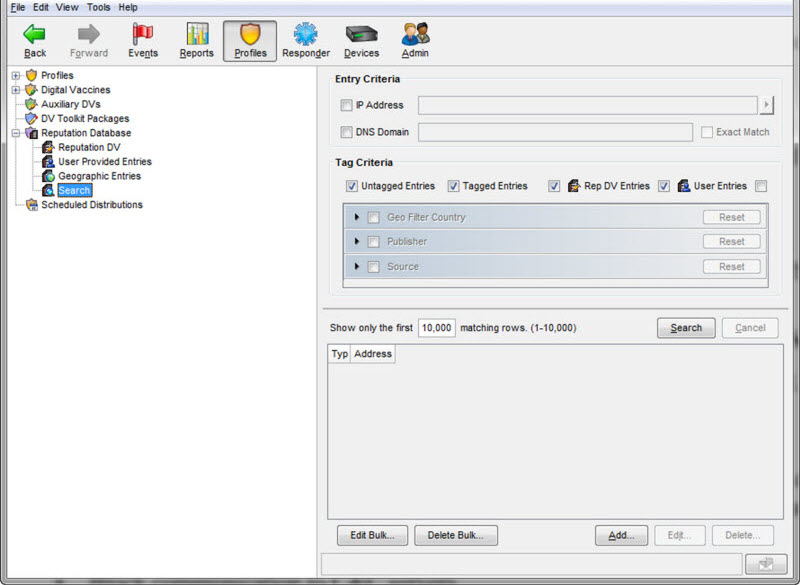
- On the Entry Criteria screen, type search parameters and then click Search.
The TippingPoint SMS console displays suspicious objects and C&C callback addresses distributed by Deep Discovery Inspector - Verify that the following tag categories exist in the Tag Categories list of the TippingPoint SMS Client.