


The following are several tips for troubleshooting packet reception issues on Amazon
EC2.
-
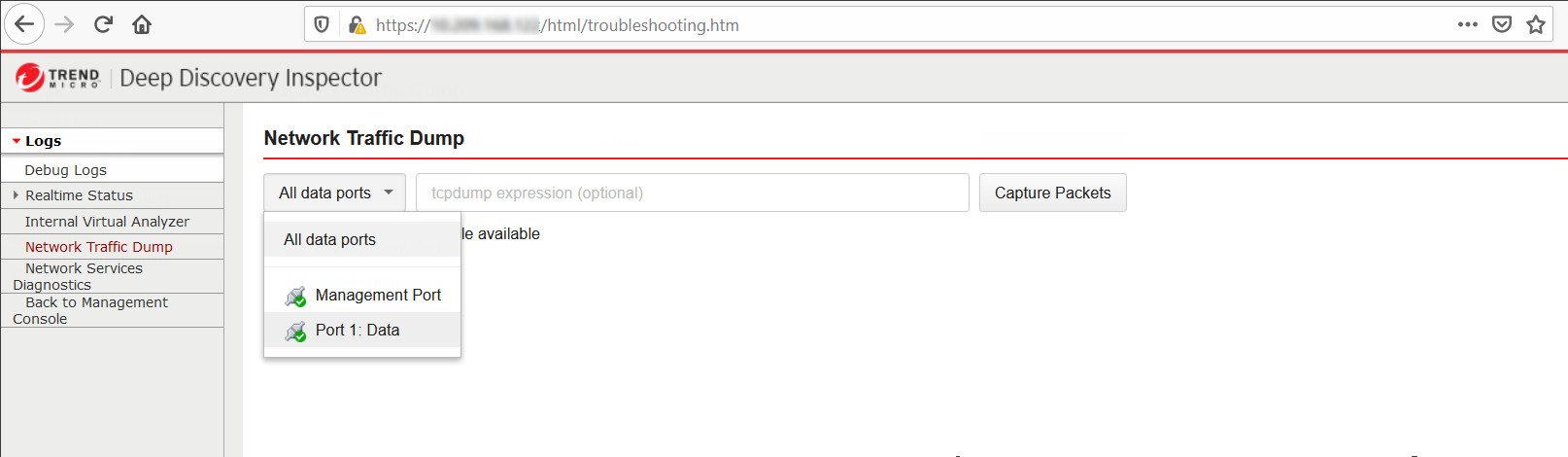
Use the Deep Discovery Inspector virtual appliance Network Traffic DumpOn the Deep Discovery Inspector virtual appliance, go to and capture packets to check the data port's reception.
-
Verify Network ACLs settingsFor details, see https://docs.aws.amazon.com/vpc/latest/userguide/vpc-network-acls.html.
-
Verify Security Group settingsFor details, see https://docs.aws.amazon.com/vpc/latest/userguide/VPC_SecurityGroups.html. For the traffic mirror target, the traffic mirror target requires the allowance of VXLAN traffic (UDP port 4789) from the traffic mirror source in the security groups that are associated with the traffic mirror target.

Note
If you are using deploying Deep Discovery Inspector behind an NLB, you may need to allow custom traffic (TCP port 14789) to the Deep Discovery Inspector virtual appliance in the security groups that are associated with the Deep Discovery Inspector virtual appliance.