


By integrating with the Amazon VPC Traffic Mirroring feature, the Deep Discovery Inspector virtual appliance can provide a
network security solution via two deployment options:
-
Option 1: Deploy the Deep Discovery Inspector virtual appliance as a traffic mirror targetNetwork traffic is mirrored from an ENI (Elastic Network Interfaces) mirror source to a data port of the Deep Discovery Inspector virtual appliance. This option depends on the settings of traffic mirror filter as shown in the figure below.

Note
If the Deep Discovery Inspector virtual appliance is attached to more than 1 data port, you can set each data port as traffic mirror target.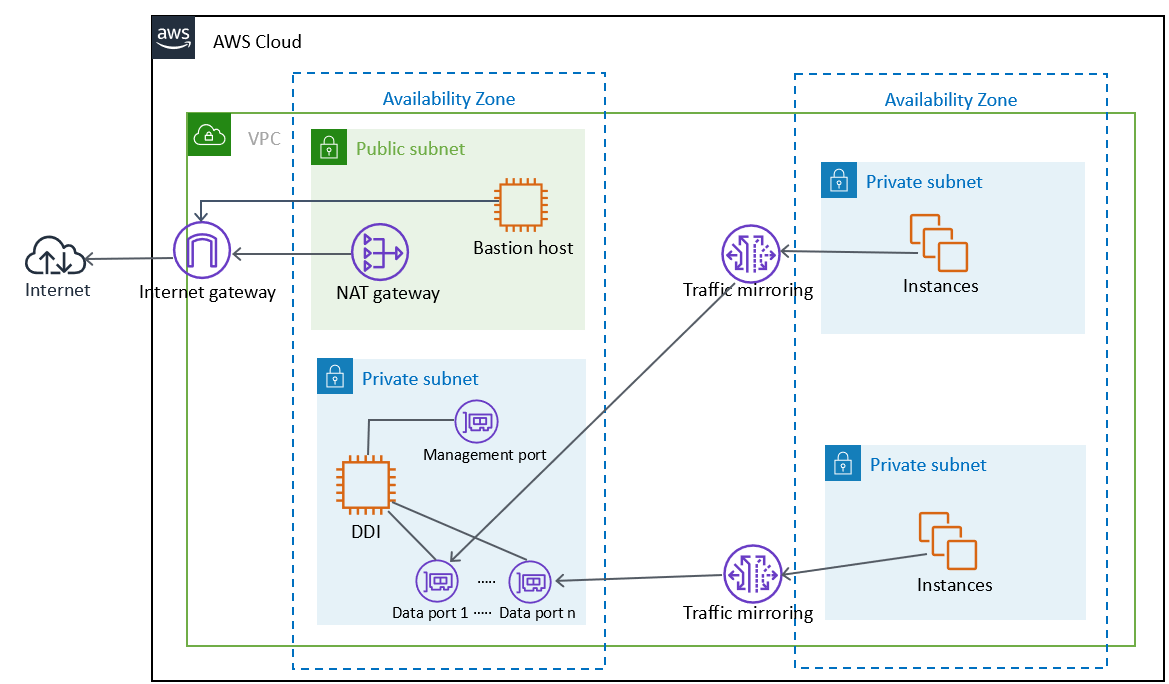
Option 1: Deploy the Deep Discovery Inspector virtual appliance as a traffic mirror target -
Option 2: Deploy the Deep Discovery Inspector virtual appliance behind the NLBDeploy the Deep Discovery Inspector virtual appliance in the target group behind the NLB (Network Load Balancer). Network traffic is mirrored to the NLB and the NLB forwards traffic to health instances belonging to the target group as shown in the figure below.
Note
The NLB only forwards the mirrored traffic to data port 1 of the Deep Discovery Inspector virtual appliance.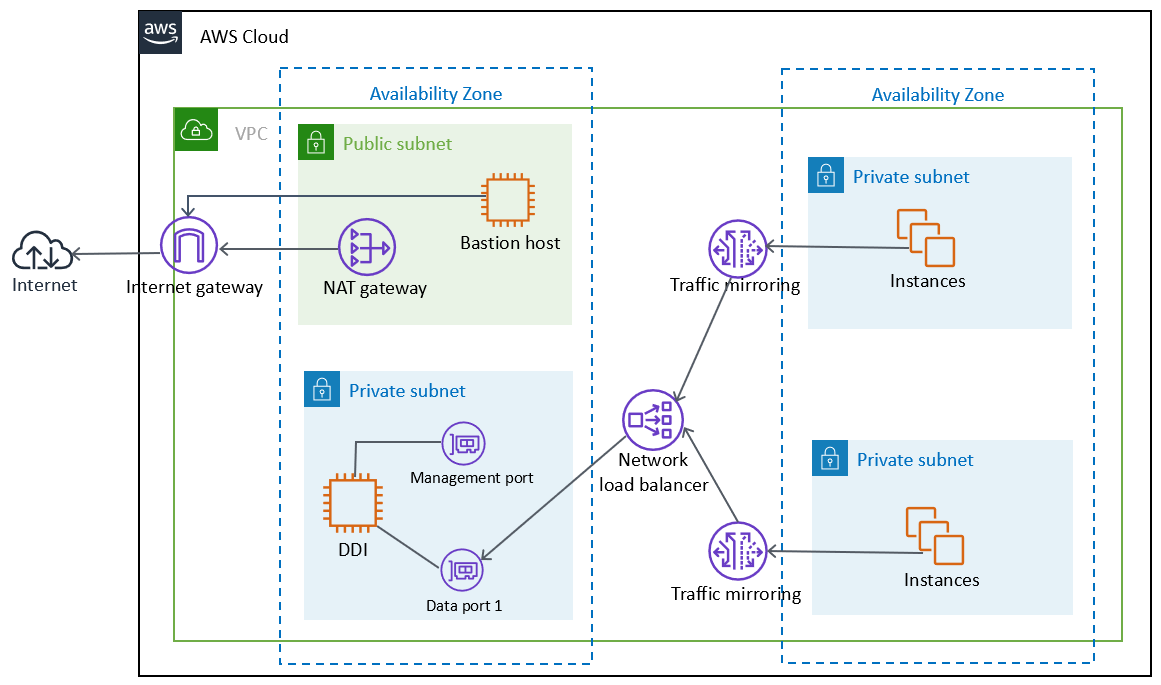
Option 2: Deploy the Deep Discovery Inspector virtual appliance behind the NLB