

Procedure
- On the IBM XGS console, do the following to configure the generic agent:
- Go to .
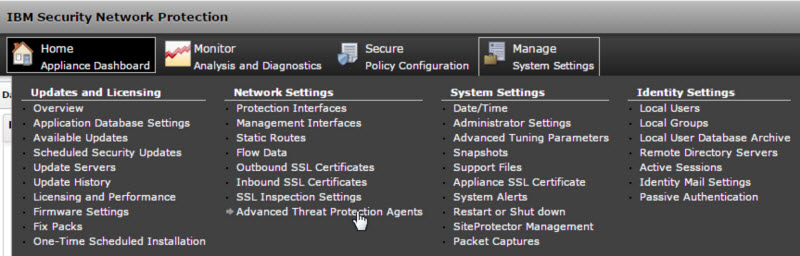 The Advanced Threat Protection Agents window opens.
 - Click New.
- Provide the following information:
-
Name: Type a name
-
Agent Type: Select Generic
-
Address: Deep Discovery Inspector management port IP address in IPv4 or IPv6 format
-
User name: Existing authentication credential
-
Password: Existing authentication credential
Valid Character Sets
User namePasswordMinimum length1 character1 characterMaximum length15 characters15 characters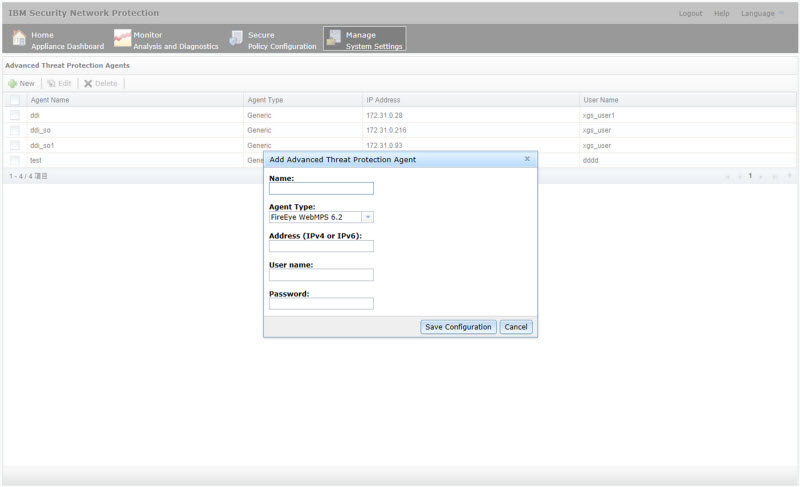
-
- Go to .
- Click Save Confirmation.The Deploy Pending Changes window opens.
- To apply changes to IBM XGS, click Deploy.
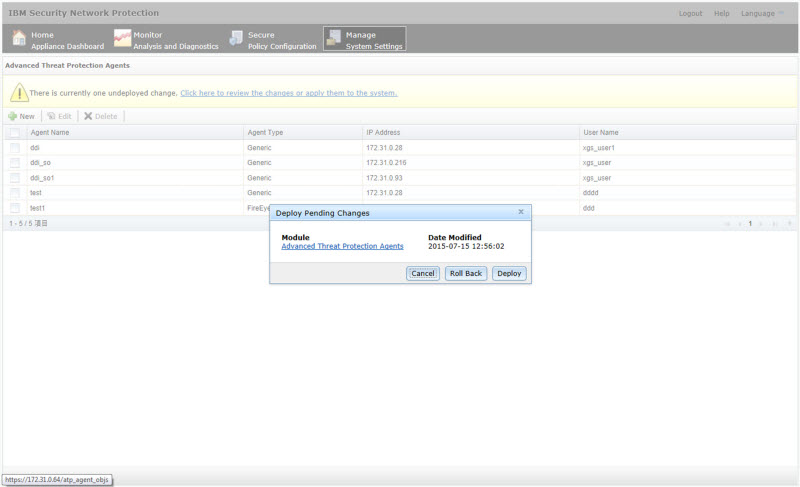 The new agent appears in the Advanced Threat Protection Agents list.
 - On the Deep Discovery Inspector management console, go to and select Configuring IBM Security Network Protection (XGS).
- Provide the following information:
-
Server address

Note
The server address must be the IPv4 address or FQDN of the inline product. -
User name: Existing authentication credential
-
Password: Existing authentication credential
Valid Character Sets
User namePasswordMinimum length1 character1 characterMaximum length15 characters15 characters -
- (Optional) Click Test Connection.
- Under Object Distribution, click
Enabled.The Legal Statement opens.
- Read and accept the Legal Statement.
Note
To enable integration with this inline product/service, you must accept the Legal Statement. - (Optional) Select a new Frequency.
- To send object information from Deep Discovery Inspector to this inline product/service, configure the following
criteria:
-
Object type:
-
C&C Callback Address
-
IPv4 address
-
URL
-
-
Suspicious Object
-
IPv4 address
-
URL
-
-
-
Risk level:
-
High only
-
High and medium
-
High, medium, and low
-
-
- Click Save.
- (Optional) On the IBM XGS console, go to to view suspicious objects and C&C callback addresses sent by
Deep Discovery Inspector to IBM
XGS.
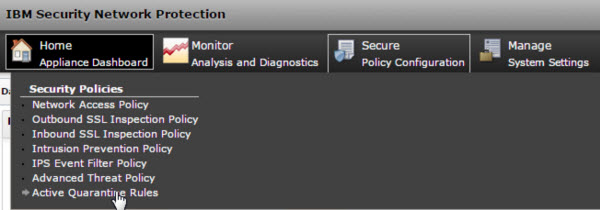
Note
Suspicious objects with a low risk level do not appear in the IBM XGS Active Quarantine Rules. To view all suspicious objects sent by Deep Discovery Inspector, go to and specify the following settings:-
Agent Type: Generic
-
Alert Type: Reputation
-
Alert Severity: Low
Suspicious objects and C&C callback addresses distributed by Deep Discovery Inspector are displayed. -