


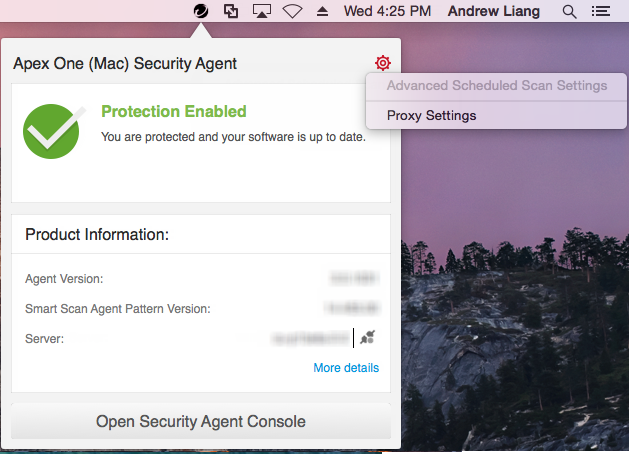
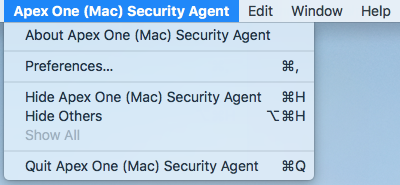
When the Security Agent is running, you can access the shortcut to tasks from the
following methods:
-
Tray icon menu
-
Apple menu
The following table describes the shortcuts.
|
Task Shortcut
|
Details
|
||
|
Advanced Scheduled Scan Settings
|
Available only if the Trend Micro Apex One (Mac) administrator granted
you the privilege to configure scheduled scan settings.
|
||
|
Proxy Settings
|
Configure the Security Agent to connect to its parent server through a proxy
server.
|
||
|
Preferences
|
|||
|
About Trend Micro Apex One (Mac)
Security Agent
|
View product license and release information.
|
||
|
Quit Trend Micro Apex One (Mac)
Security Agent
|
Close the Security Agent main console.
|
