

Locate the endpoint information required to run a diagnostic test in the Self-Diagnosis app.
Procedure
- Find the agent GUID of a Windows endpoint.
- Open the Registry Editor.
-
Open the Run dialog (WIN + R).
-
Type regedit and press ENTER.
-
- Locate the
xdr_device_idregistry key.-
In endpoints running 64-bit versions of Windows, go to
Computer\HKEY_LOCAL_MACHINE\SOFTWARE\WOW6432Node\TrendMicro\TMSecurityService. -
In endpoints running 32-bit versions of Windows, go to
Computer\HKEY_LOCAL_MACHINE\SOFTWARE\TrendMicro\TMSecurityService.
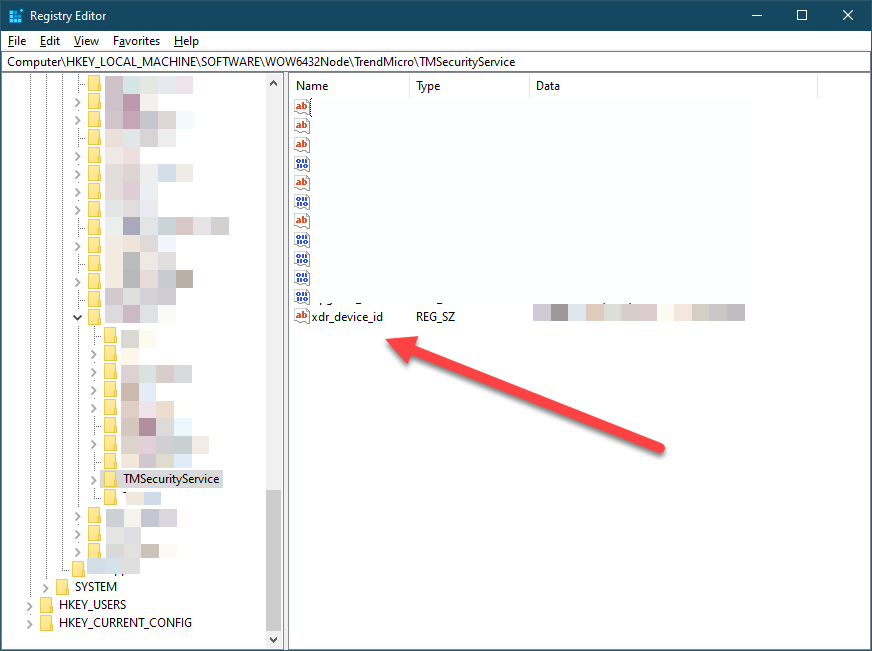
-
- Copy the value of the registry key.
- Open the Registry Editor.
- Find the agent GUID of a macOS endpoint.
- In Terminal, run one of the following commands.
-
sudo cat /var/root/Library/Preferences/XBCAgent.conf.plistThe command outputs the agent GUID wrapped in<string>tags.
-
sudo defaults read com.trendmicro.endpointbasecamp xbc_device_idThe command outputs the agent GUID on a single line.
-
- In Terminal, run one of the following commands.
- Find the agent GUID of a Linux endpoint.
- Go to the file
/opt/TrendMicro/EndpointBasecamp/etc/.identity. - Within the
.identityfile, locate thexdr_device_idregistry key.
- Go to the file