Deleting a Storage Device From the Inventory Parent topic

Procedure

  1. Log on to the machine running the SecureCloud Runtime Agent and then stop the agent.
    The status of the device changes from In Use to Encrypted.
    Note
    Note
    If the target device is managed by your Cloud Service Provider, see your CSP documentation to delete the device.
  2. Run the Configuration Tool to report the current CSP inventory back to the SecureCloud Server.
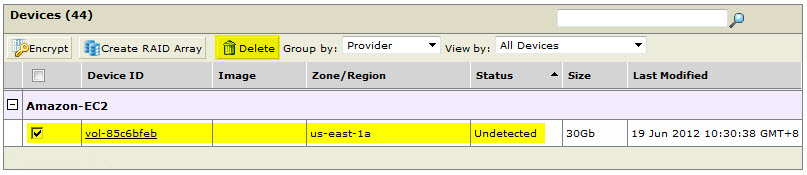
    The device status is now Undetected.
  3. Delete the device entry from the web console.
    From the Inventory > Devices page, select the desired device having the Undetected status and then click noti_del.jpg. Here’s an example:
    devices_delete.jpg