
|
|
|
|
|

 |
NoteSecureCloud can only encrypt swap partitions that are already
mounted on the host before starting the agent service.
Swap
partitions that are manually mounted after starting the agent service
will not be encrypted. You need to stop, then restart the agent,
and then provision the device again.
|
 |
TipTo see what swap space you have, use the command swapon
-s. The output will look something like this:
Filename Type Size Used Priority /dev/sda5 partition 859436 0 -1 The Type field indicates that
this swap space is a partition rather than a file, and from Filename we
see that it is on the disk sda5. The Size is
listed in KB.
The Priority field indicates the order of swap
devices—with the biggest number of priority will be used first.
Two types of Priority are present:
The SecureCloud
agent keeps and follows the priority value.
|
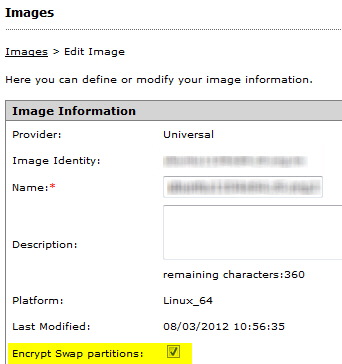
|
NoteBy default, this option is unselected.
|
/dev/edX