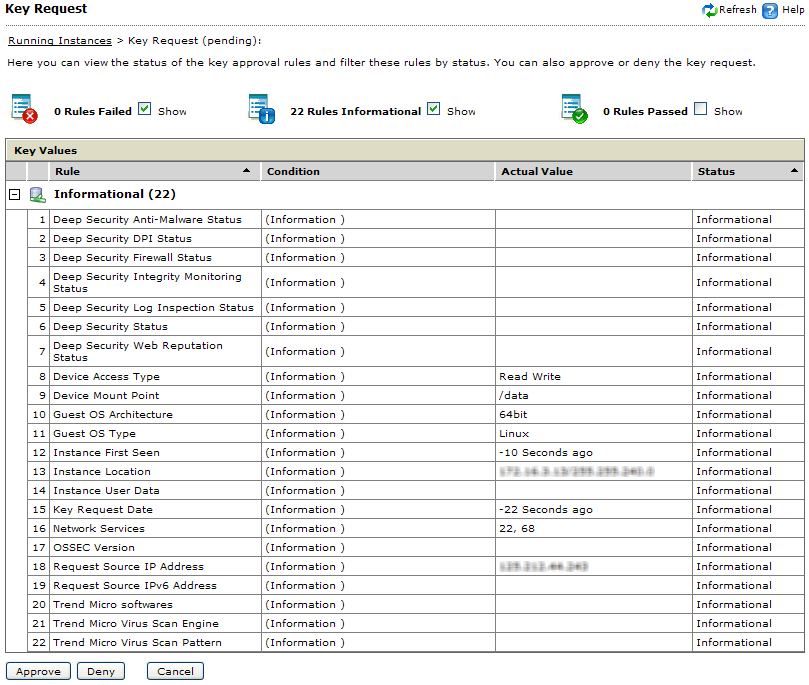
A key with Pending status
is a key request set for manual approval if one of the following
conditions happen:
A key request meets all conditions
defined in a policy
A key request violates a condition defined in a policy
A key request is issued by a newly configured/installed device
Procedure
On the Running Instances page,
click the corresponding Pending link of the
target key request.
If the instance integrity is Unknown,
SecureCloud does not know which policy should be used to evaluate
the environment integrity. Clicking the Pending link
for a key request with Unknown integrity opens the Key
Request (Unknown) page.
If the integrity of the cloud environment is Bad,
then the Key Request (Pending) page opens.
Approving key requests
Tip
To
filter by rules that failed, passed, or are simply informational,
select the appropriate check box(es) at the top of the window.
Click the appropriate button to either approve, deny,
or cancel the pending key request.
Click the status link in the Running Instances page
to view the key request information again. Once a key request has
been delivered, this cannot be reversed.
On the host running
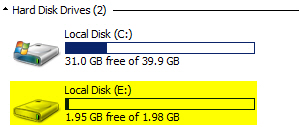
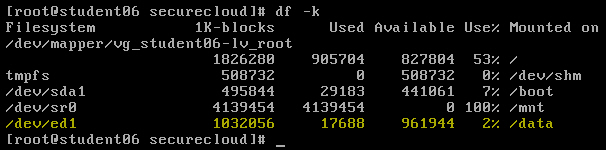
the encrypted storage, verify that the device is mounted.
Verifying if a Windows drive is mounted
with a mount point specified as E:\
Verifying if a Linux drive is mounted with
a mount point specified as /data