Viewing SecureCloud Usage Reports Parent topic

Procedure

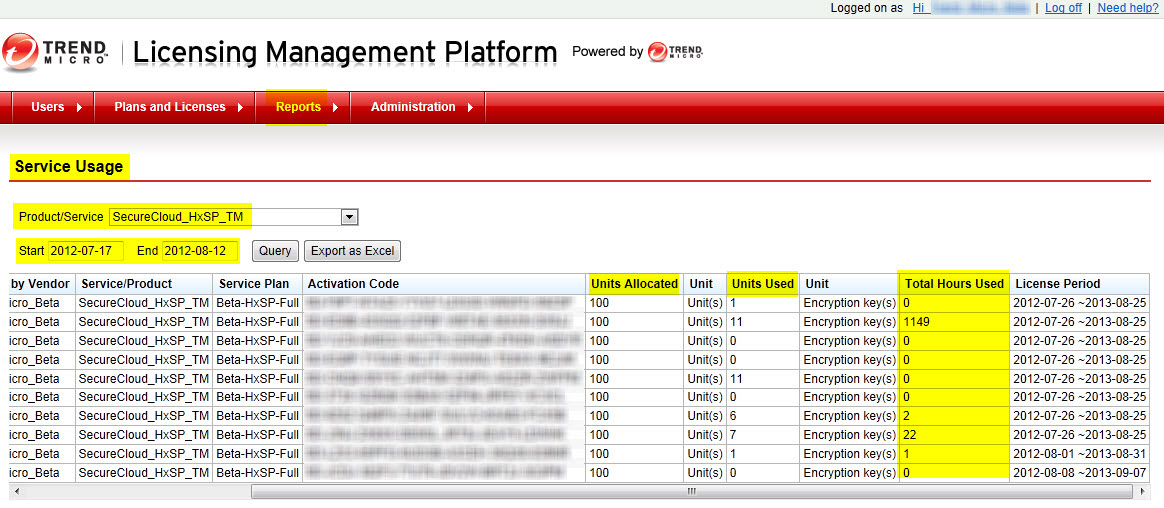
  1. Log on to Trend Micro Licensing Management Platform console.
    Tip
    Tip
    Contact your Service Provider for the URL.
  2. Click Reports > Service Usage on the navigation bar.
    Notable Field
    Description
    Units Allocated
    Total number of alloted encryption keys for vendor.
    Units Used
    Total number of encryption keys used.
    Total Hours Used
    Total computing hours.
    The Service Usage Report page opens.
    lmp_service_usage.jpg
  3. Select SecureCloud from the Product/Service drop-down list, and then specify the start and end dates.
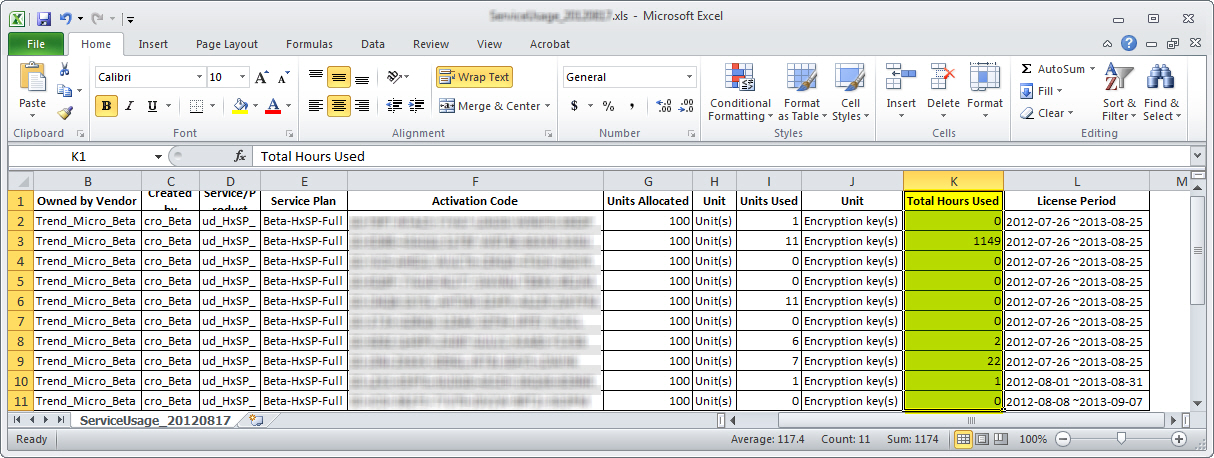
  4. Click one of the following:
    • Query—displays the results on the page
    • Export as Excel—saves the queried data as an XLS file
      lmp_excel.jpg