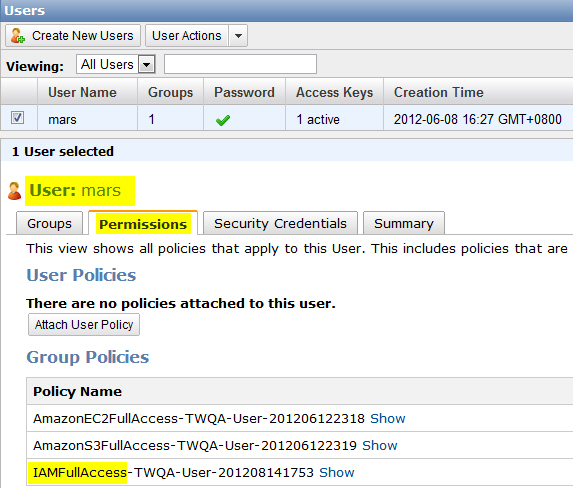
Check if this user has IAM Full Access permission.
Selecting “IAM Read Only Access” or refraining from providing
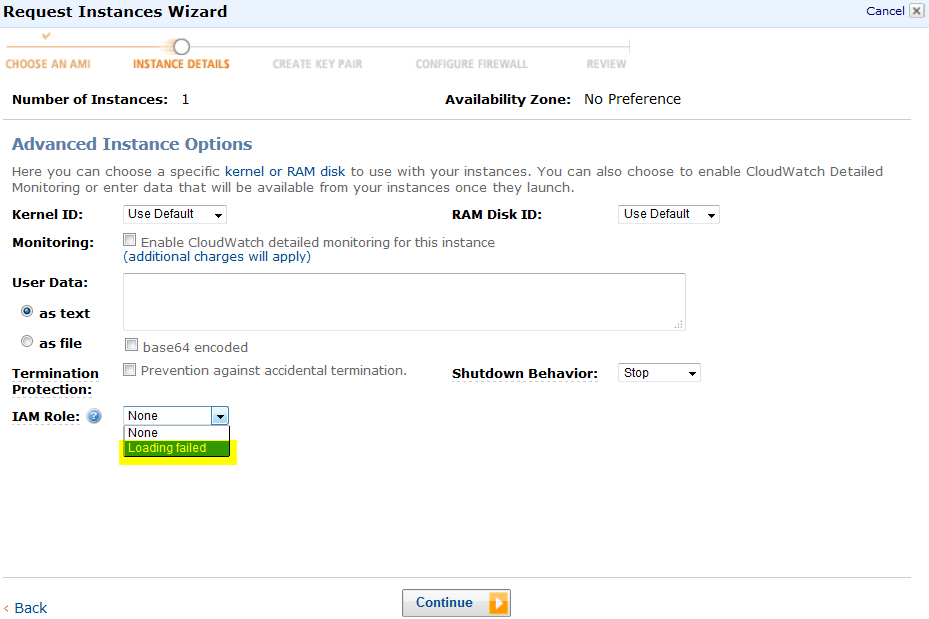
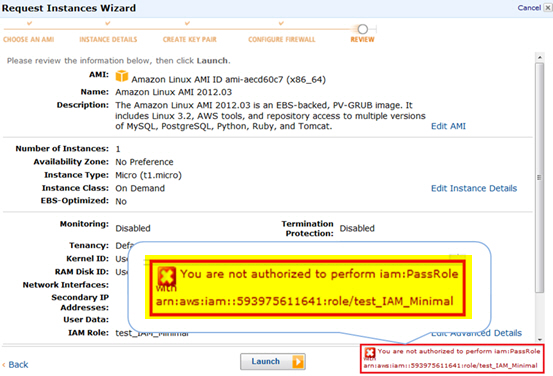
any IAM will cause an error in the IAM-Role [Launch Instance] stage. Refer
to the figures below.
Loading failed
when no role is set
Unable to lunch
instance when insufficient role is set