
Images Parent topic

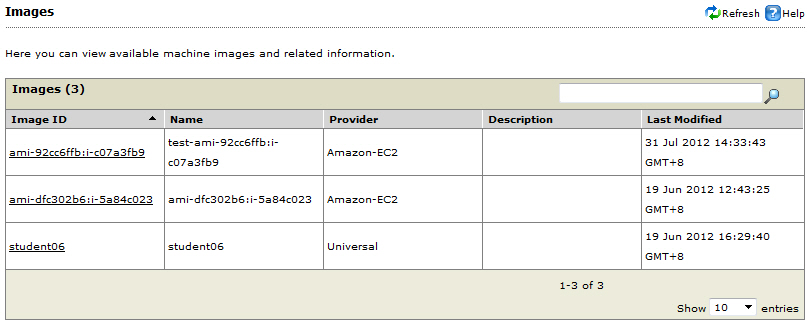
The Inventory > Images page allows you to view available image / machine image (AMI) and such details listed in the table below.
images.jpg

Images page with sample data

Image and related data

Image ID
AMI and its ID to which a device is attached
Name
Image hostname (maximum length allowed is 32)
Tip
Tip
Trend Micro recommends naming your image according to its purpose. For example, if this image is strictly for the accounting department’s needs, use FIN123_image.
Provider
  • Universal (native operating system, VMware vSphere, or vCloud environments) or
  • Specific Cloud Service Provider (Amazon-EC2 or Eucalyptus)
Description
Given description for the image
To edit the image name and description or view additional image information, refer to View and Change Image Information.
Last Modified
Date and time when the image was modified