The Configuration Tool (Windows: [x:\Program
Files\Trend Micro\SecureCloud\Agent]\scconfig.exe)
or Configuration Utility (Linux: /var/lib/securecloud/scconfig.sh)
is a program installed with the SecureCloud runtime agent. It provisions
disk drives by:
-
Encrypting drives
-
Creating file systems
After agent installation, you can launch the Configuration Tool
from the installation wizard (on Windows-based agents). Alternatively,
you can launch it later from the Windows Start Program menu or Linux
command line.
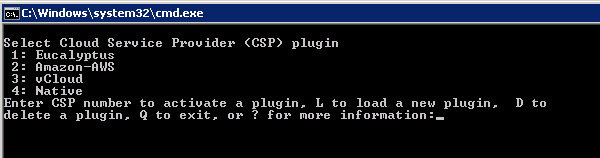
Running the Configuration
Tool on native, cloud, or virtual Windows agent
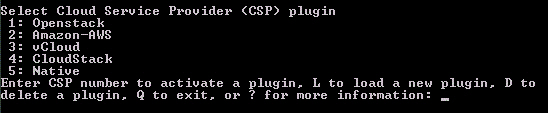
Running the Configuration Tool on native,
cloud, or virtual Linux agent
The Configuration Tool configures the following:
-
Native or cloud service provider (CSP) and its plugin
-
Cloud service provider’s credentials (includes the rotation
of credential keys for Amazon environment)
-
SecureCloud account ID
-
Web Service API URL
-
Device information for the running machine instance
-
Disk drive encryption
Whenever there is a change to the devices inventory in your native
or CSP, you need to run Configuration Tool to update the inventory
to SecureCloud Key Management Server. Doing so will prompt the following
events:
-
The Configuration Tool connects to SecureCloud KMS server
and reports all available active or inactive devices associated
with your account.
-
The Management Server then cross references the active
device list to see which devices are already encrypted. From SecureCloud
Web Console, you can view the results of this cross reference and
direct the Configuration Tool to encrypt any un-encrypted devices.
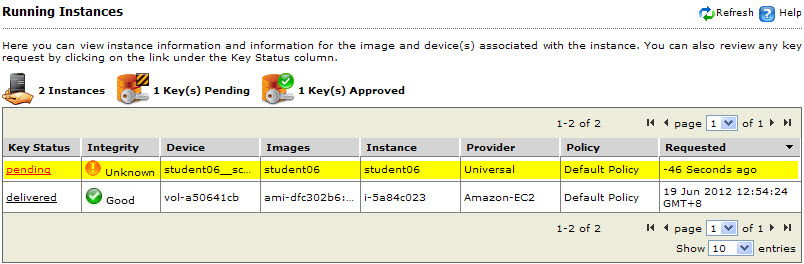
Running Instance page displays active devices
and their key status
-
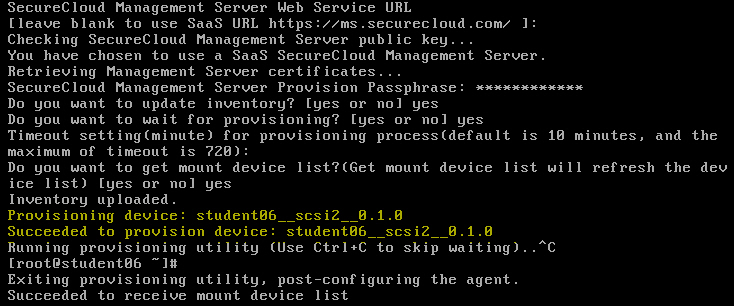
The Configuration Tool provisions your specified devices
by encrypting them using the device encryption keys generated by
the SecureCloud KMS server.
 |
Note
When the Configuration Tool encrypts a device, it implicitly
registers that device with the SecureCloud Server. This registration
is necessary in order for a machine image to have access to an encrypted
device. For details, see Provisioning
a Device.
|
Provisioning a device
-
For Amazon AWS environments, the Configuration Tool can rotate
old credentials (Access Key ID and Secret Access Key) for new ones.
You can do this for each Amazon account you have, anytime after
the SecureCloud agent is installed. See
Rotating Amazon
Credential Keys for details.