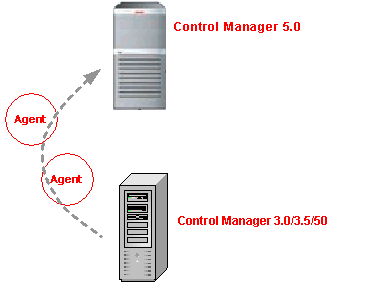
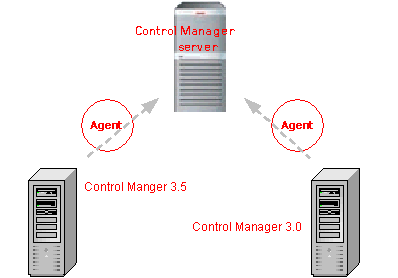
The following agent migration scenarios are possible:
|
Migration of agents belonging to a single server |
|
|
You can use both Rapid and Phased migration modes in this instance. | |
Consolidation of different servers
|
Migration of agents belonging to multiple servers |
|
Remember to start the destination Control Manager server's Remote Registry service or agent migration will not be successful.
The following detail agent and MCP migration:
Control Manager 2.5x agent migration
During Control Manager 2.5x agent migration, the agent migration tool performs the following:
Stops the Trend Micro Management Infrastructure service of the destination server.
Obtains the Product Directory information from the Control Manager server.
Retains the Control Manager agent version (no upgrade takes place).
Writes the agent information to the database of the destination server.
Unregisters the selected agents from the Control Manager source server and then registers them to the destination server.
AgentMigrationTool.exe removes the agent information from the Control Manager 5.0 database when the Control Manager 2.5x agent migration cannot be successfully completed.
Restarts the Trend Micro Management Infrastructure service of the destination server.
Stops and then restarts the Trend Micro Control Manager service of the destination server.
During MCP migration, the agent migration tool performs the following:
Stops the Trend Micro Management Infrastructure service of the destination server.
Obtains the Product Directory information from the Control Manager server.
Retains the Control Manager agent version (no upgrade takes place).
Writes the agent information to the database of the destination server.
Restarts the Trend Micro Management Infrastructure service of the destination server.
Stops and then restarts the Trend Micro Control Manager service of the destination server.
Requests the source server to issue a Change Server command and waits for polling by the MCP agent.
When migrating agents 2.5x agents migrate first, then MCP migrates.
If an agent migration is unsuccessful, the following occurs:
The agent continues to be managed by the source server
Agent logs are on both the source and destination servers
Migrated logs will not show logs unless the agents are registered to the destination server. Destination Control Manager server will purge migrated logs when purge is triggered.