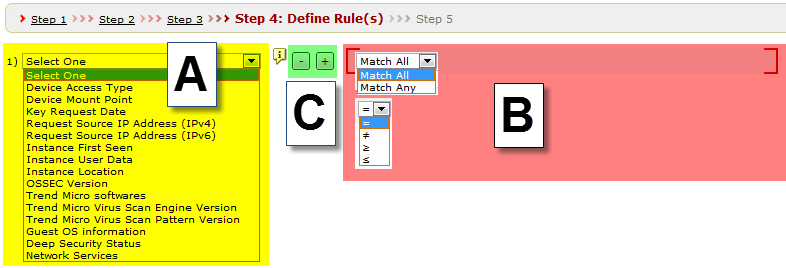
On the Policies > Define
Rule(s) page, specify the rules required to access an encrypted
data storage device.
SecureCloud
rules
Refer
to the image above to complete the following steps.
Procedure
Select the desired rule from the list (Figure
1-A).
Specify the conditions for applicable rules (Figure
1-B).
Take note of the following:
The Trend
Micro Softwares, Trend Micro Virus Scan Engine,
and Trend Micro Virus Scan Pattern rules
do not require multiple conditions, only the matching actual version
number field is necessary.
You can only set Read Only or Read/Write for Device
Access Type.