Similar to enabling
this option for accounts with specific user roles, only users with
the Account Administrator role can unregister an MFA device.
Completing
this task disassociates your registered mobile phone with your SecureCloud
account. This option is particularly useful to protect your second-factor
authentication when any of the following situation occurs:
Registered
mobile device is lost or misplaced
SecureCloud token in Google Authenticator is deleted
Procedure
On the SecureCloud web console > Administration > User
Management > Users tab, select
the corresponding account with a registered mobile device.
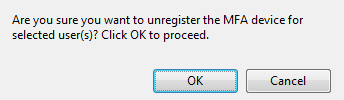
Click Unregister MFA Device.
Confirm the action to continue.
A message similar to the following appears on the User
Management page.