SecureCloud employs the Integrity Check Module (ICM)
to evaluate a cloud environment. ICM collects information about
a target system. It detects the presence of
OSSEC and Trend Micro products (OfficeScan,
Deep Security or Server Protect for Linux) on the target system.
SecureCloud can use this information in the policy rules to automatically
approve or deny a key request. The frequency of the evaluation can
be at a specified time each day, or on a specified day and time
each week.
Scheduled integrity checks can be done either daily or weekly
and has the following benefits:
-
Enforces the integrity of the instance through out the
life cycle to the instance
-
Provides the option to revoke the key if the VM instance/cloud
environment becomes in violation of the policy rules
-
Provides the option to reattempt to issue the key if the
violating offense of the instance has been corrected
As part of the scheduled integrity checking, SecureCloud can
be configured to revoke encryption keys to the data storage device
if the conditions of the virtual machine have changed and are in
conflict with the policy rules. For example, if network service
for port 80 is not allowed by the specified rules and the device encryption
key was delivered at Runtime Agent start up to a virtual machine that
has port 80 open, then SecureCloud will revoke the device encryption
key. If SecureCloud finds a machine image to be compromised or out
of compliance based on policy rules, the administrator can set the
Runtime Agent to do one of the following:
-
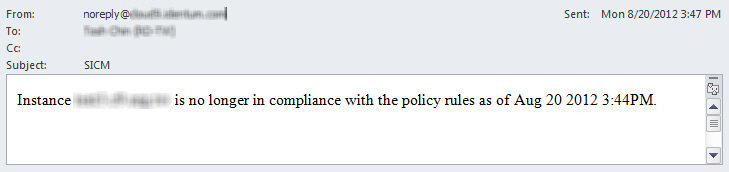
Issue a notification email describing the offending condition.
Here’s
a sample notification:
-
Issue a notification email describing the offending condition
and revoke the encryption key within a configurable period (minutes,
hours) from the image, thereby protecting data.
Setting the action to revoke an encryption key from a running
instance can have dire results and possible loss or corruption of
data being written to the device by the writing application.