SecureCloud provides group accounts to help you manage
which data storage devices and machine images are accessed by particular
organizations in your company. For instance, internal organizations
like Human Resources, Finance, and Development could have dedicated
devices and images to which they only have access.
The Account Administrator is the user role who manages the group
account.
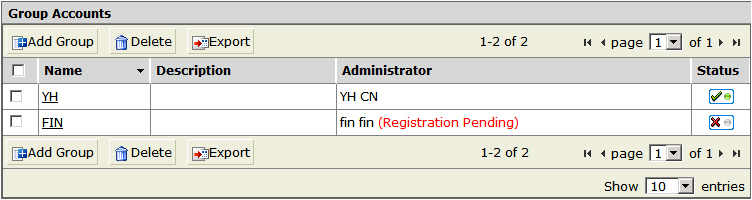
The
Group Accounts page displays all enabled
(

) and disabled
(

) group accounts.
To sort and filter group accounts according to Name, Description, Administrator,
or Status, click the corresponding column
header. You can directly change an account’s status by toggling
between the icons under the Status column.